ATS-friendly resume templates.
Choose the style that suits your content. You can switch later without retyping.
Preview free · $9.99 USD once per resume
5 layouts to compare
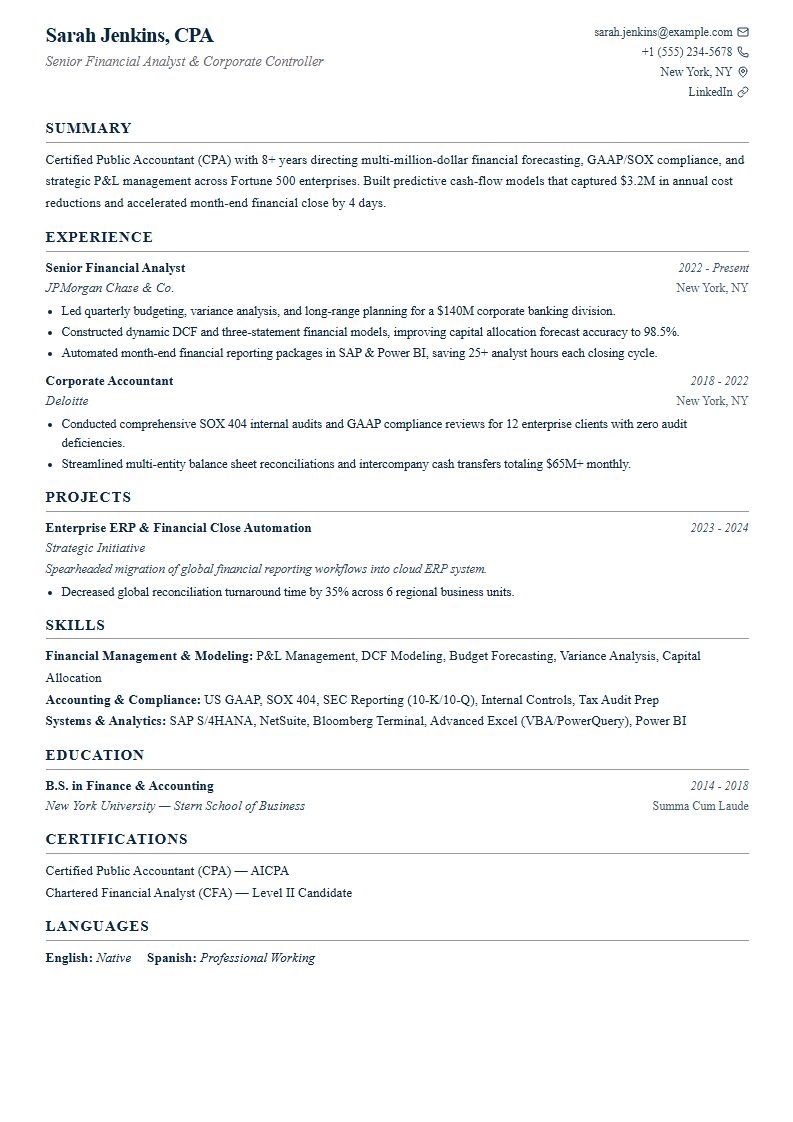
Classic
ATSTraditional serif type and ruled headings.
A traditional serif resume with ruled section headings, dated experience entries and a readable contact line.
Use this template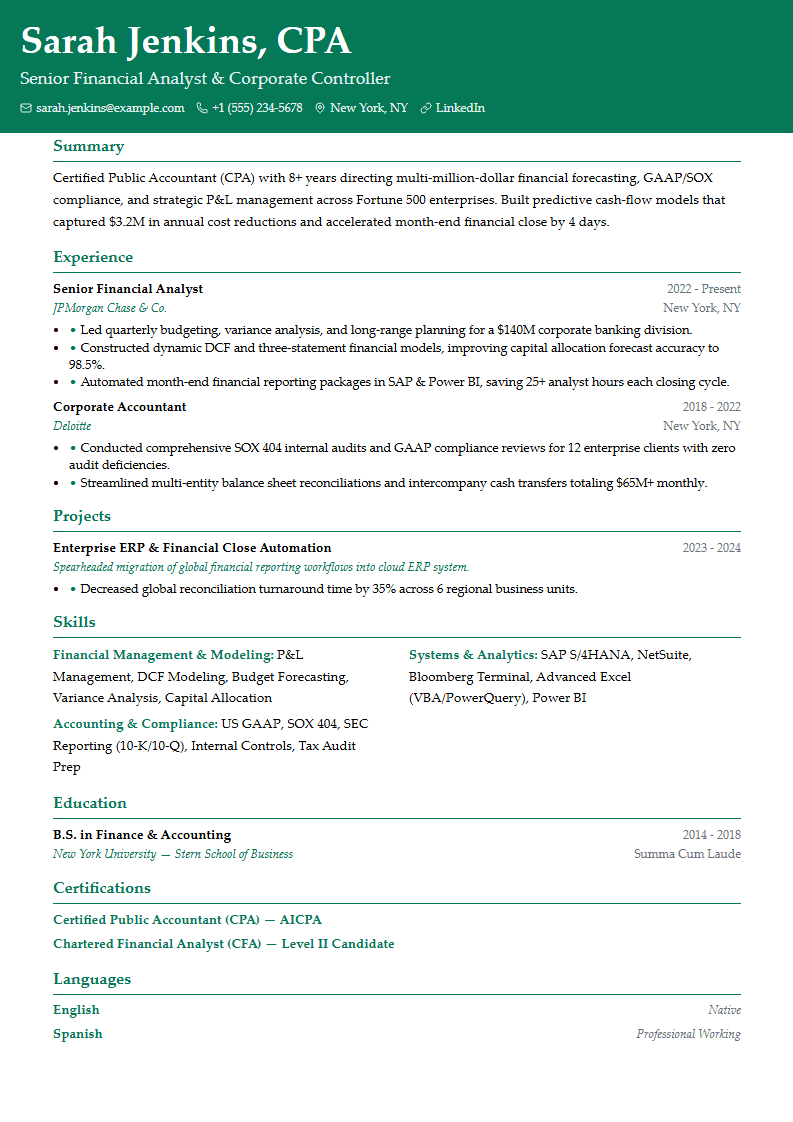
Elegant
ATSA colored header band and editorial serif type.
An editorial serif resume with a colored header band, accent section rules and a distinctive but readable document style.
Use this template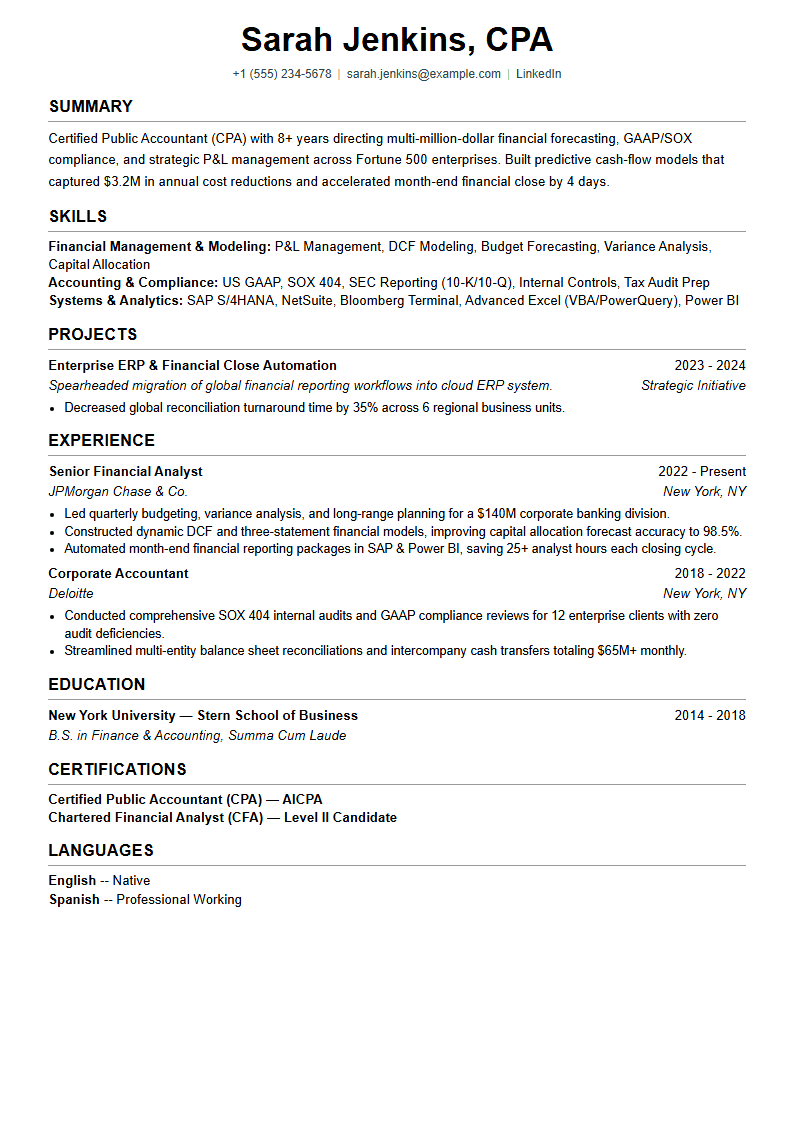
Minimal
ATSPlain monochrome, with projects and skills early.
A monochrome sans-serif resume without icons, using restrained section rules and simple text to keep attention on your content.
Use this template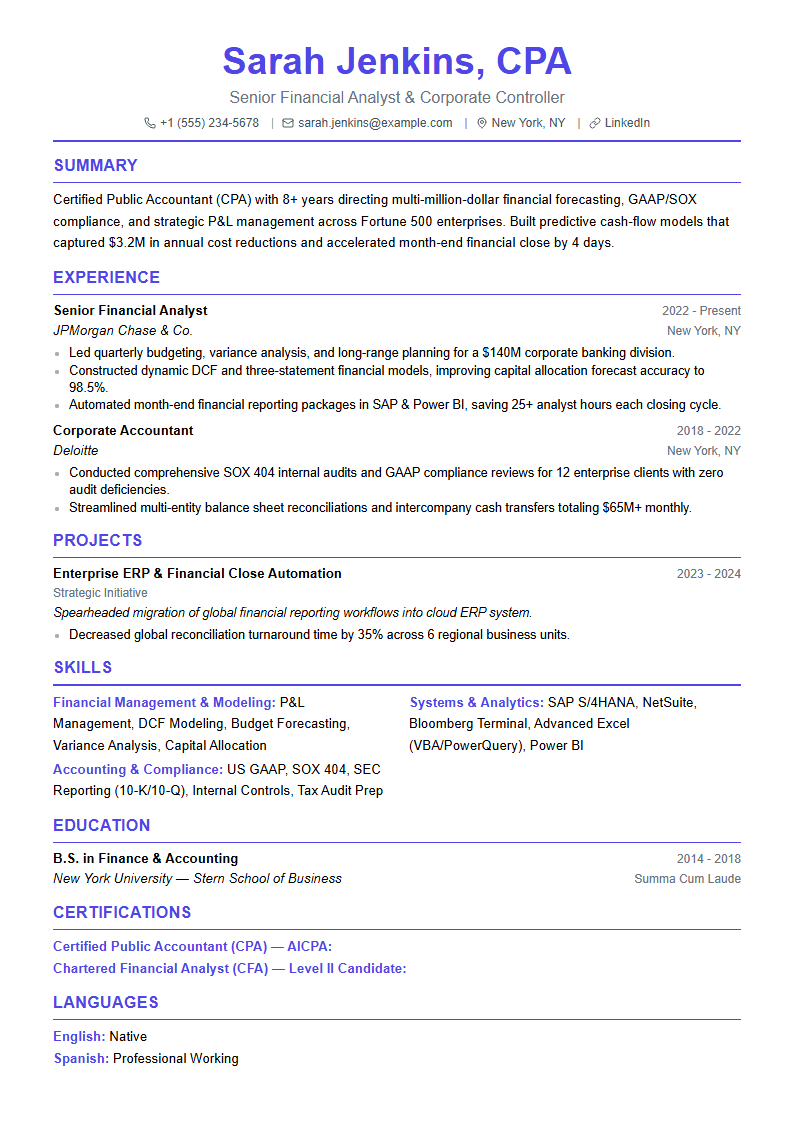
Modern
ATSAccent headings and a centered contact header.
A contemporary sans-serif resume with a centered contact header, accent-colored headings and grouped skills.
Use this template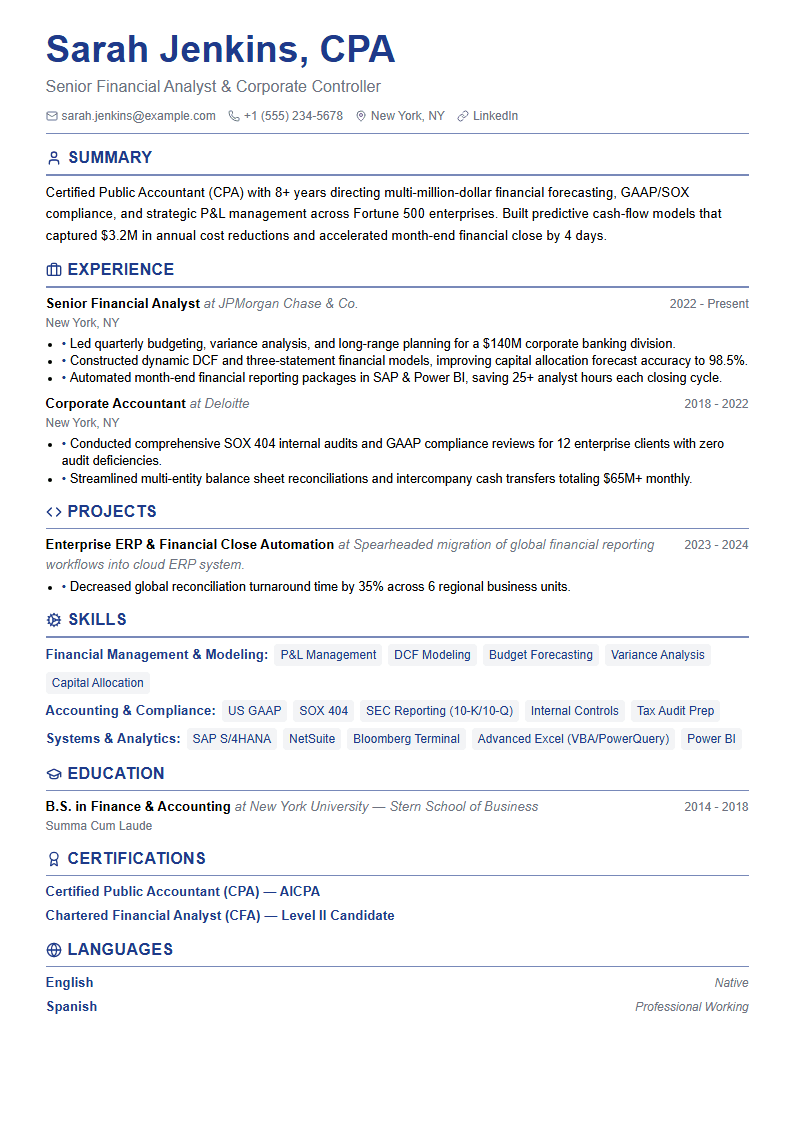
Professional
ATSIcon headings and skills badges for more structure.
A sans-serif resume with a left-aligned header, icon-prefixed sections and skills badges for a structured visual hierarchy.
Use this templateCompare resume layouts
Compare the sample documents below, then apply a layout to see it with your own content in the builder. Layouts appear side by side on larger screens and stack on phones.
Classic
Traditional serif type and ruled headings.
Start with this layoutElegant
A colored header band and editorial serif type.
Start with this layoutWhich resume template should I choose?
Choose a layout that keeps your real experience easy to read. All five templates use selectable text and clear sections; no layout guarantees that every employer's ATS will parse every field correctly.
| Template | Best fit | Check before exporting |
|---|---|---|
| Classic | Applicants who prefer a conventional document style, including business, service and administrative roles. This is a design suggestion, not an employer endorsement. | Long job titles and date ranges share space. Check wrapping with your real content rather than shortening important role names just to fit. |
| Elegant | Applicants who prefer an editorial appearance for marketing, client-facing or creative work. Keep a portfolio link for work that needs visual proof. | The header uses more color than the other layouts. Check grayscale printing, contact legibility and copied-text order before submitting. |
| Minimal | Applicants who want a plain visual style, including technical applicants with projects or anyone who prefers an ink-light document. | A long skills or projects section can push work experience down the page. Preview the content order and keep the most relevant evidence prominent. |
| Modern | Applicants who want a contemporary visual style for engineering, product or general business work without turning the resume into a graphic poster. | Check the copied-text order of the skills columns. If the list feels crowded, reduce unrelated skills or compare the Minimal layout. |
| Professional | Applicants who want clear visual separation between experience, skills and credentials, including operational and clinical roles. | Many long skill names create multiple badge rows. Keep only relevant skills and inspect page breaks; icons do not establish ATS compatibility. |
Start with the student example or senior engineering example, then follow the template selection guide and check the exported text.
Ready to send a resume you’re proud of?
Build and preview for free. Pay $9.99 USD once for one resume, including PDF, Word and TXT exports, subsequent edits and re-downloads. No subscription.
Build your resume